IL Colormate
Project Brief
An exploratory effort to combine AI-generated code with hand-crafted Figma design for the purposes of developing a web- and mobile-based tool for measuring WCAG contrast ratio compliance for the Imagine Learning brand.
The goals of this project were two-fold and layered: produce a tool that is available as both a web page and mobile app, and through rigorous documentation and prompt engineering, achieve an MVP result with one single initial Codex submission.
TOOLS USED
ChatGPT - Prompt engineering help, Codex help
Codex - Application build and development
Figma - UI/UX wireframing, design, app states, user flows
Skills Demonstrated
UI/UX
Prompt Engineering
AI-assisted Development
Project Role(s)
Developer
THE APP
Built with React Native and TypeScript using Expo, compiled and distributed for Android and web through EAS.
Web Version
android app
Available here
Instructions:
Download the APK.
Open the APK file from your downloads/files folder
Allow installation when Android asks
Approve the Google Play Protect security scan if offered
Select Install once scan completes
App will open as normal afterward
The FIGMA
The design file for this app basically resembles any other design library in terms of structure, documentation, wireframing, and high-fidelity mock-ups. The key connection here is Figma’s MCP server, which allows LLMs (such as Codex) to directly access the contents of Figma designs.
Providing flows using a series of rendered app states was also a tremendous help. This assisted Codex in determining exactly what the application should look like before, during, and after a user action without the need of documenting or prompting it specifically.
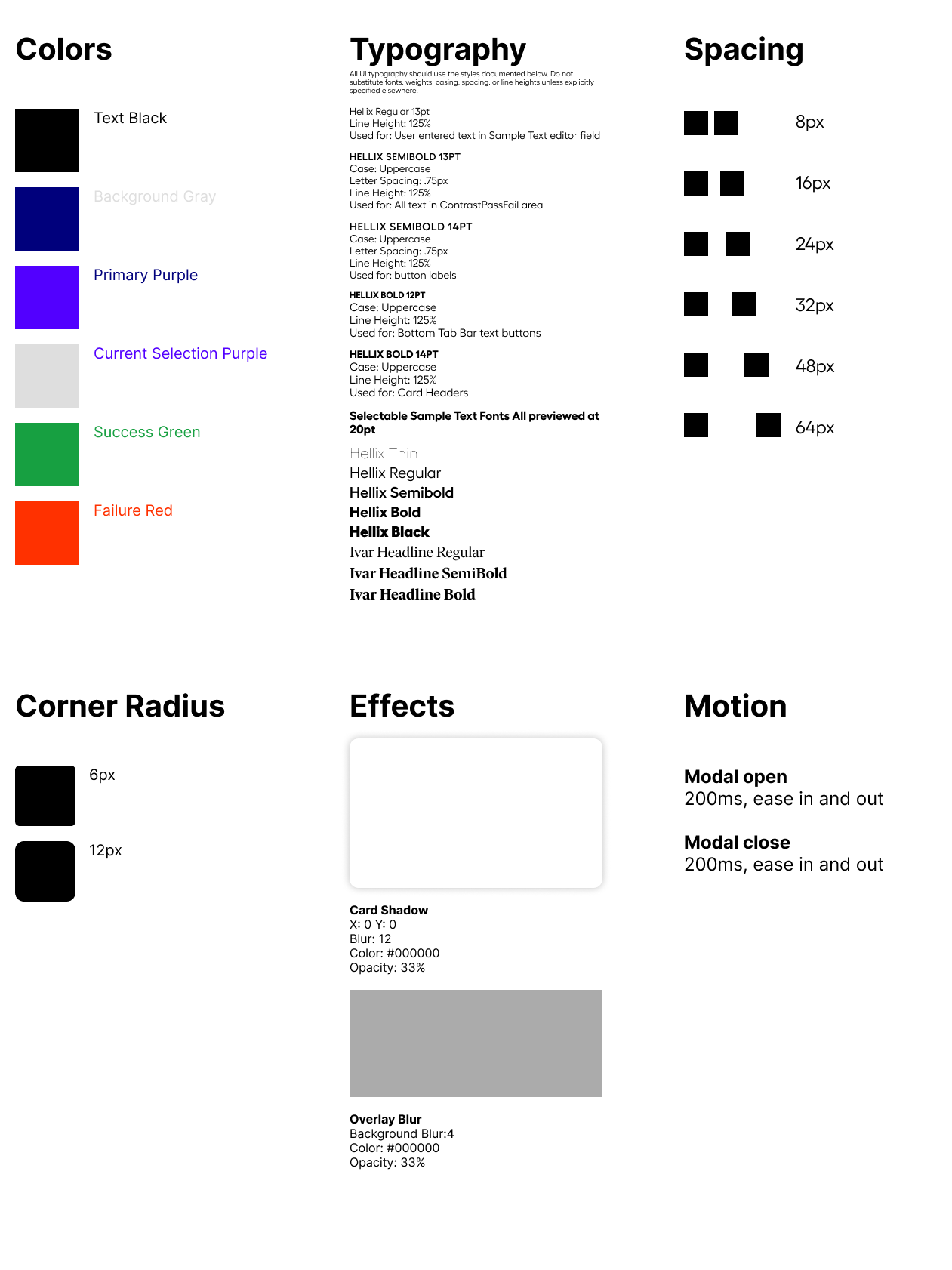
Design System
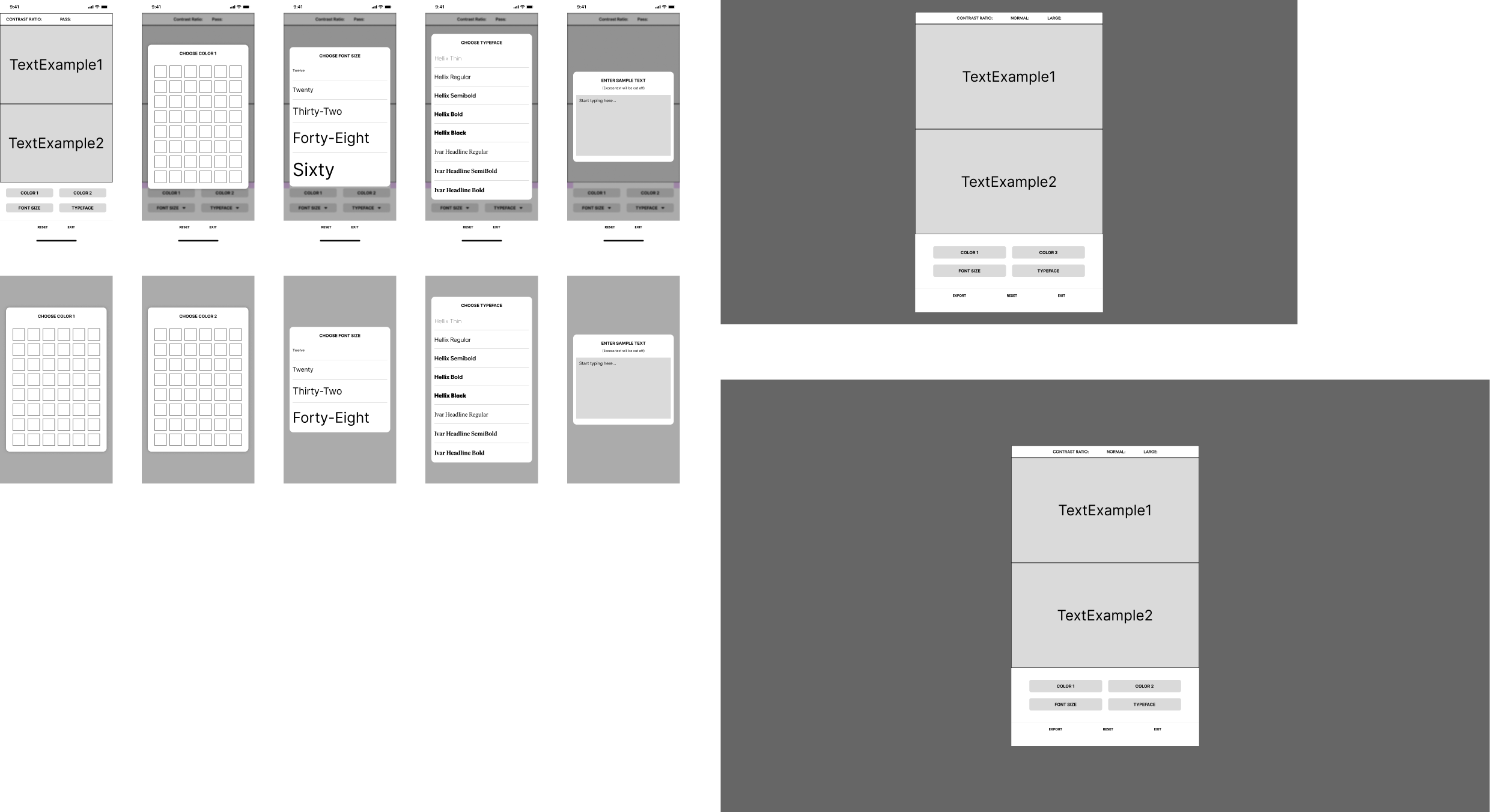
Wireframes
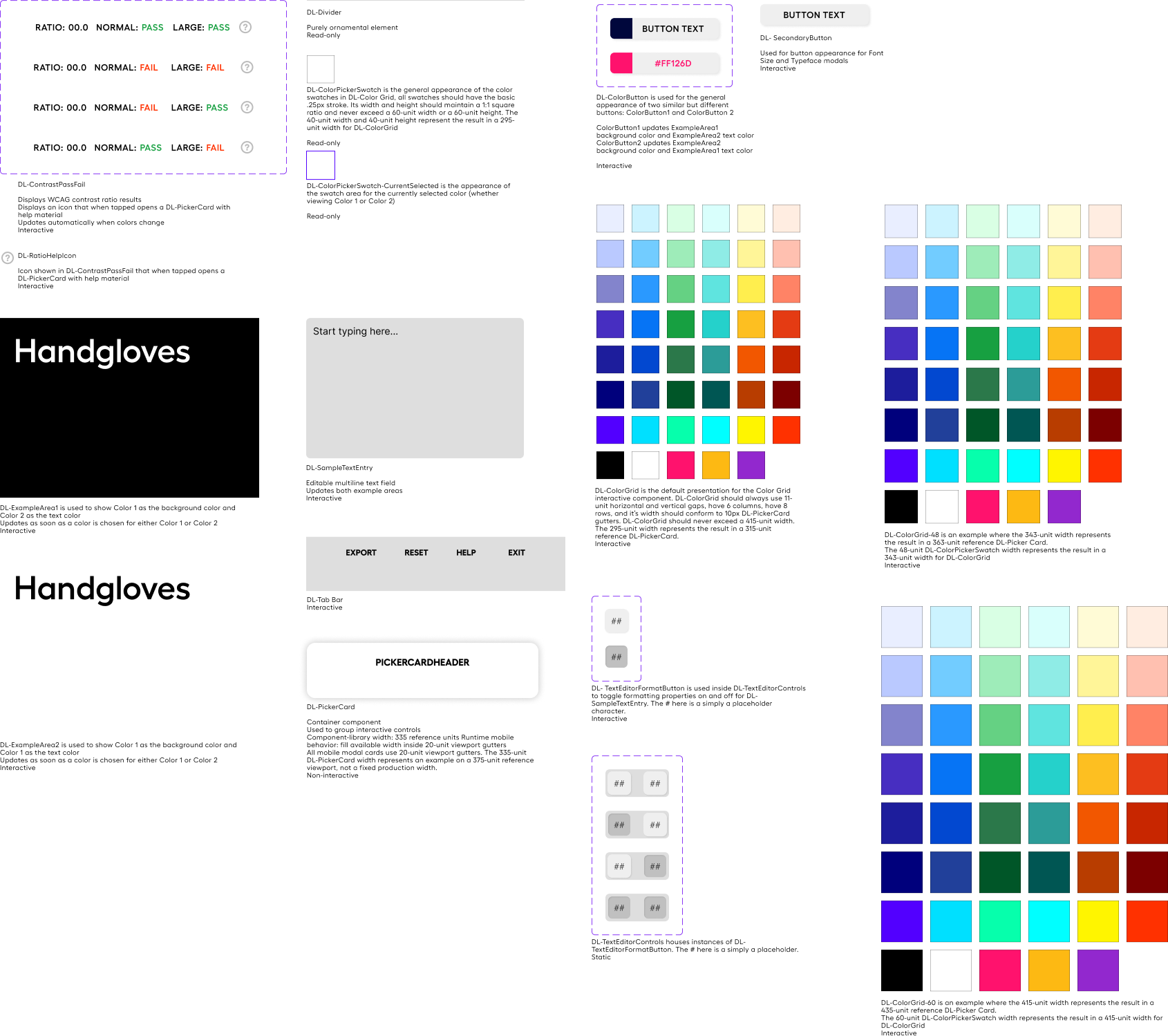
Component Library
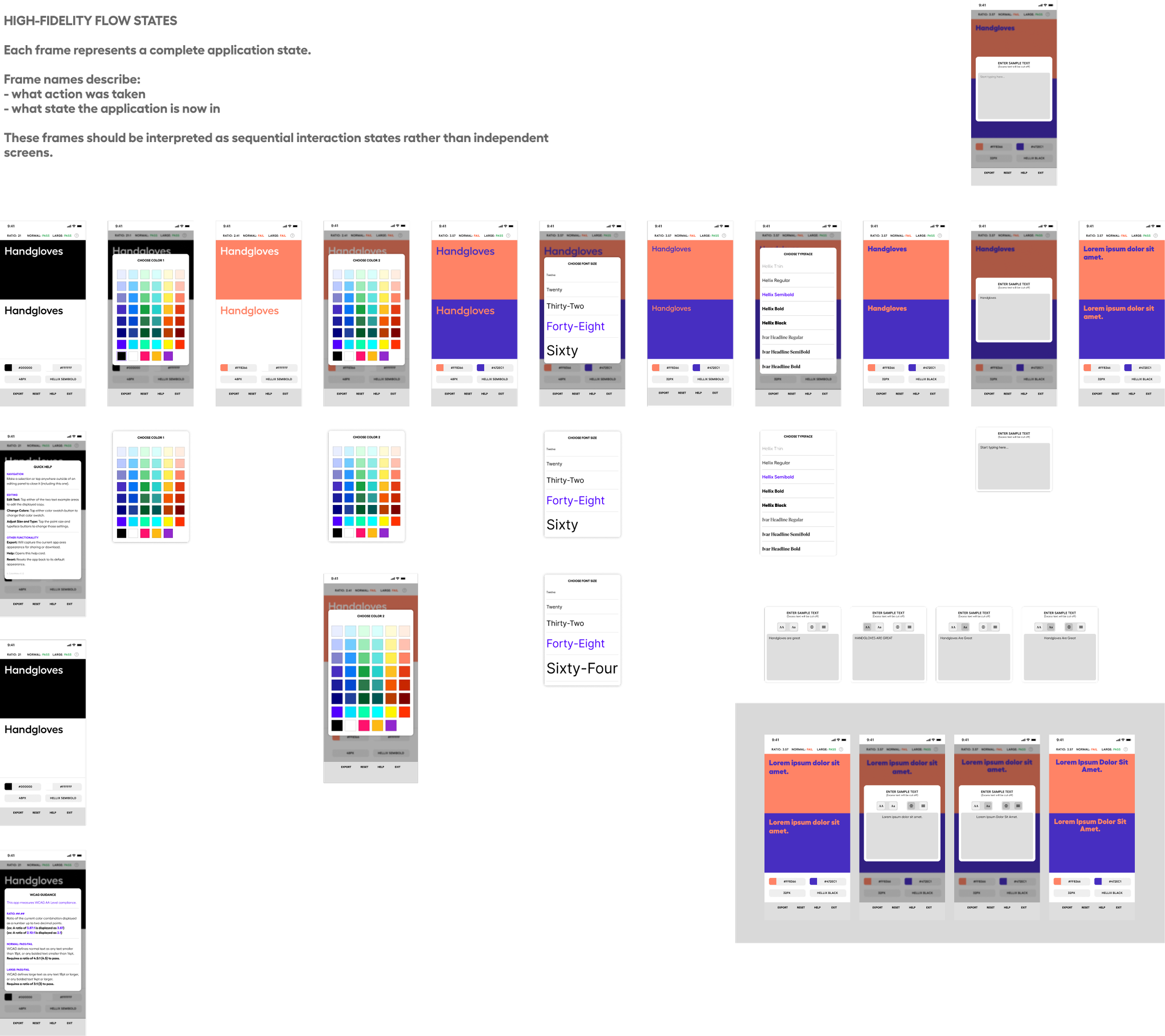
High-Fidelity and Flows
Naming conventions
One of the major aspects of success with this project was careful and deliberate naming convention for components and elements within the Figma design. This made it much easier to write the initial build spec as well as iteration afterward. By being able to make specific reference to items like “DL-ExampleArea1” when working with Codex, it saved a tremendous amount of time in prompt writing and vastly reduced the margin for error in output.
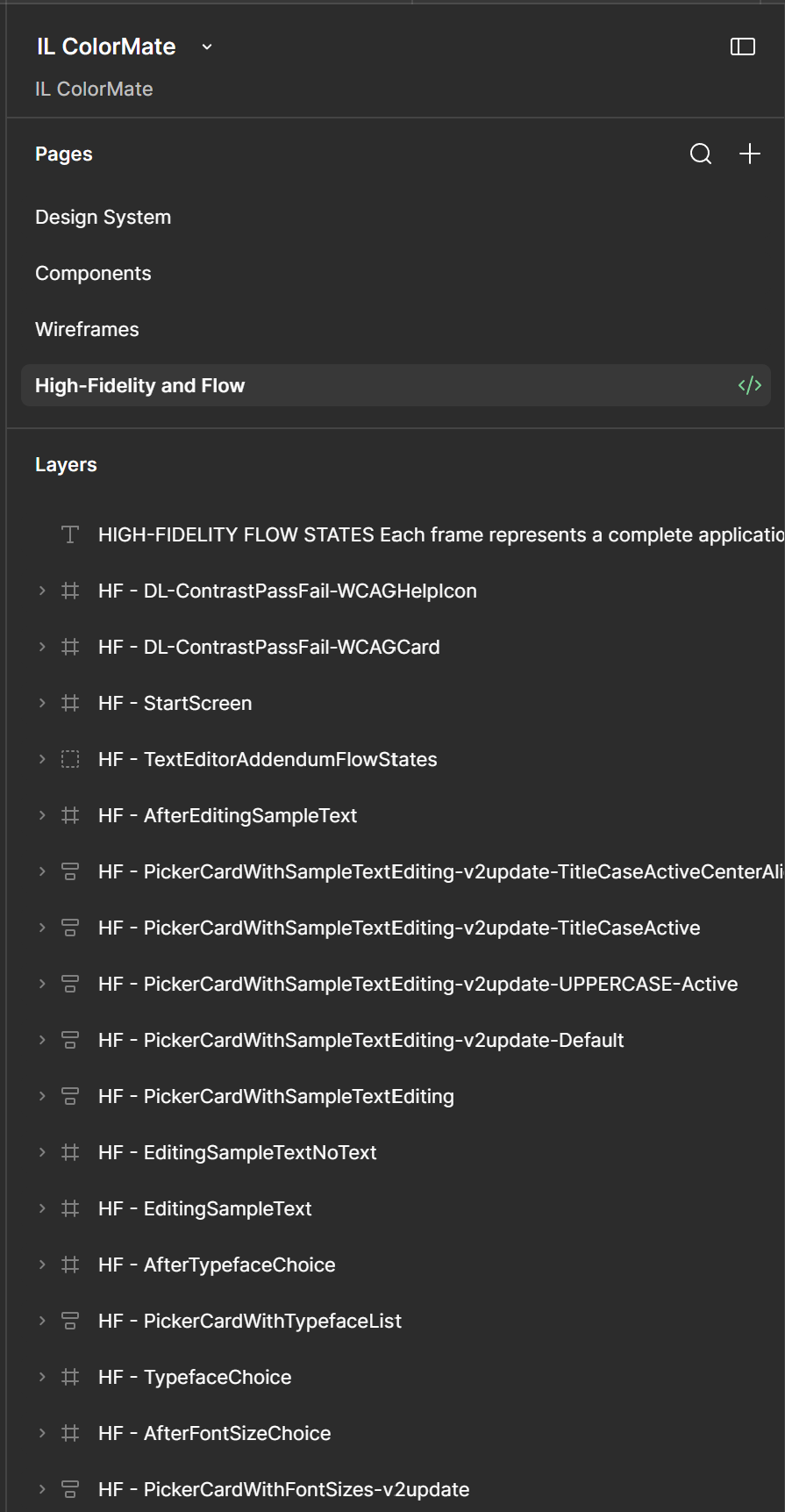
Page structure and example of element naming
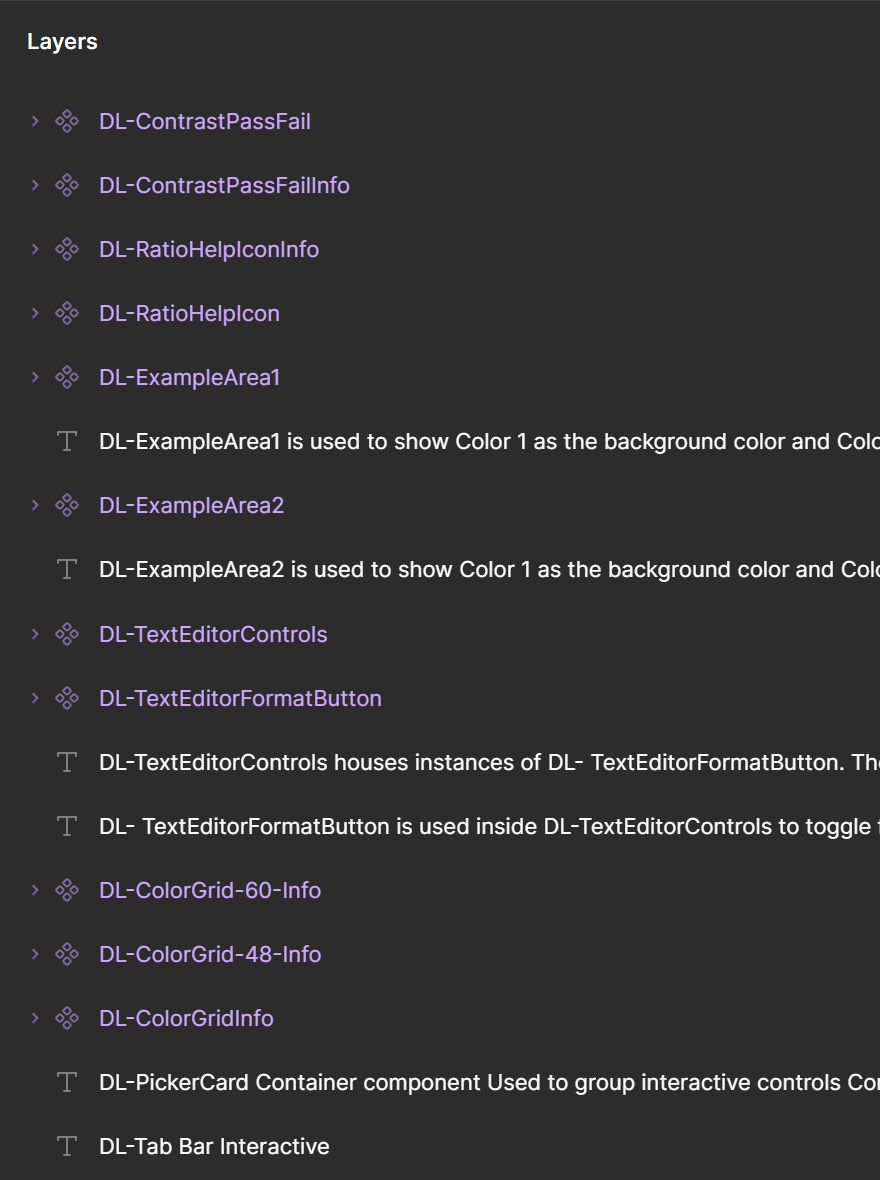
Example of component naming

Figma Wireframe Prototype
THE SPEC SHEET AND PROMPTing
ChatGPT proved invaluable in helping to craft the build spec sheet to Codex as well as helping to build the exact process of submission and preflight before actually submitting the build prompt.
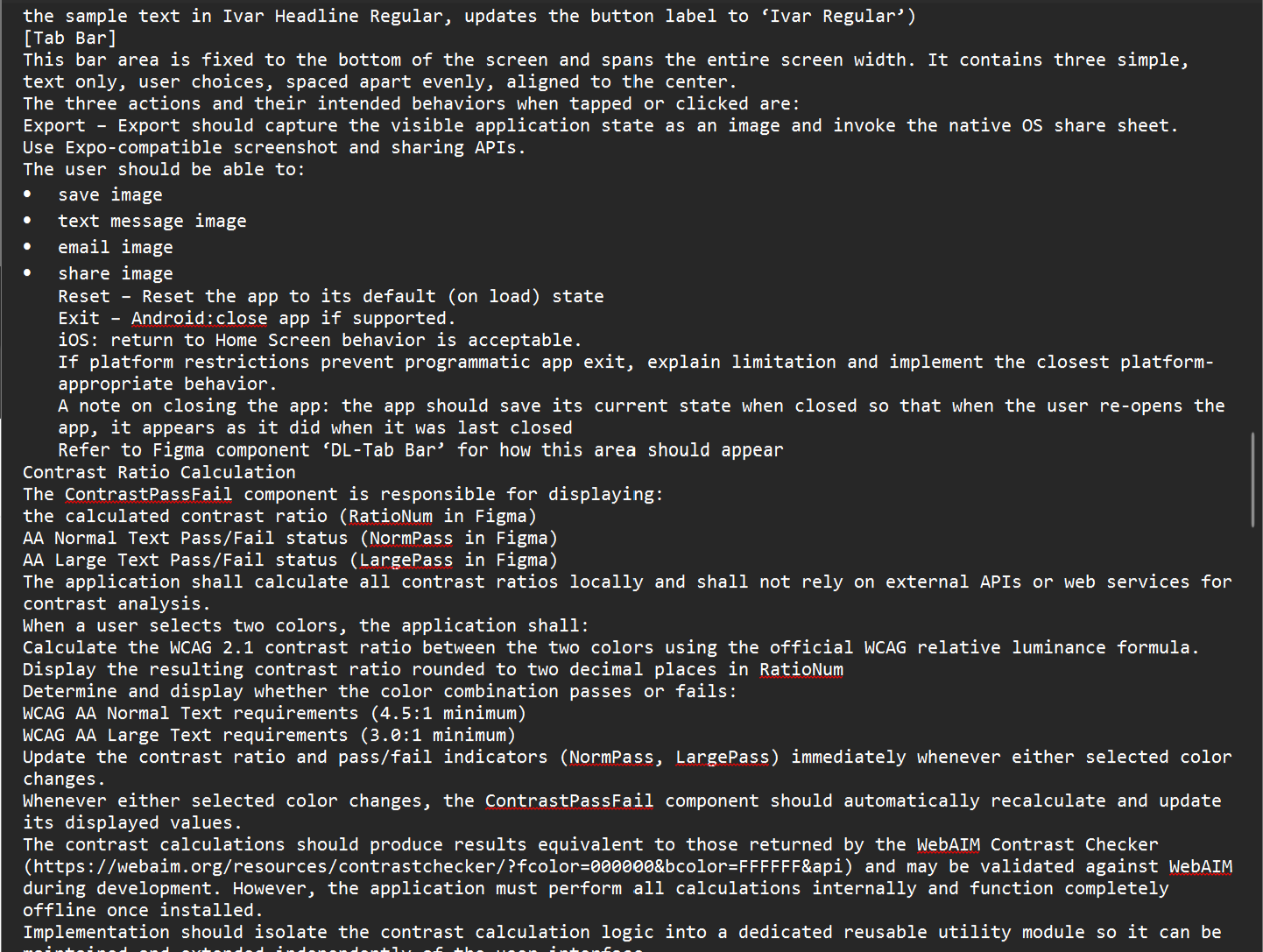
samples of the spec sheet submitted to Codex
Initially written in Word, these instructions were eventually converted to Markdown per Codex’s preferred ingestion format.
1 | initial prompt submitted to codex
Before writing any code, inspect the entire Figma project and read the full specification.Figma Team Project Name: IL ColorMateDesign spec doc: ***\SPEC.md
Treat this as a design handoff review.
Do not implement anything yet.
Instead, produce an "Implementation Readiness Report" containing:
- Overall confidence level (High / Medium / Low)
- Summary of your understanding of the application
- Proposed component architecture
- Proposed folder/file structure
- State management approach
- Any inconsistencies between the Figma and the written specification
- Any missing assets (fonts, icons, images, etc.)
- Any questions that should be answered before implementation
- Confirmation that the project is ready to build once those questions are resolvedDo not write any production code until I approve this report.At this point that Codex cited a few concerns, questions and suggestions about the spec sheet and the Figma design. I iterated on those issues briefly, and provided :
2 | additional prompt submitted to codex
I have placed a document named: IL-ColorMate-Questions.docx
in this folder: ***\decisions

This document contains answers to all of the "Questions Requiring Answers" output you gave me above. Please assess whether this document provides clear and satisfactory answers and then re-assess if you have everything you need in order to build the ColorMate app. Do not at this time start building the app, simply provide me an assessment on whether or not you have everything you need to build.
After re-evaluation Codex reported the spec sheet and linked Figma design were “Ready for Build”.
3 | build prompt submitted to codex
IL ColorMate – Initial Implementation
Build the first complete implementation of IL ColorMate.
The project targets React Native + Expo, with Expo Web as a secondary target. Mobile behavior always takes precedence.
Authoritative Sources
Implement the application using the following order of precedence:
IL-ColorMate-Questions.docx (implementation decisions and clarifications)
SPEC.md (application behavior, business rules, state model, persistence, and edge cases)
Figma High-Fidelity Flow States (authoritative visual behavior and screen layouts)
Figma Component Library (DL-* reusable components)
Figma Design Foundations (colors, typography, spacing, motion, effects)
Figma Wireframes (responsive layout guidance only)
If two sources conflict, follow the higher-priority source.
Implementation Goals
Build the complete application in React Native + Expo.
Support Expo Web while preserving the mobile-first experience.
Match the High-Fidelity designs as closely as practical.
Build reusable components where appropriate.
Follow the documented state model, data flow, persistence rules, and edge-case handling.
Implement WCAG contrast calculations locally exactly as specified.
Use standard Expo-compatible libraries where appropriate.
Do not introduce additional dependencies beyond those already approved unless required.
Implementation Expectations
Organize the project using a clean, maintainable folder structure.
Keep business logic separate from presentation components.
Isolate contrast calculations into reusable utility modules.
Avoid duplicated logic.
Prefer reusable components over one-off implementations.
Comment code where behavior may not be immediately obvious.
If you encounter a requirement that cannot reasonably be resolved using the documentation above, stop and ask before proceeding rather than making assumptions.
Upon Completion
Provide a brief implementation summary including:
Files created or modified
Folder/component architecture
State architecture
Utilities created
Approved dependencies used
Any assumptions made
Any remaining questions or recommended improvements
The total operation took 23 minutes and 20 seconds. At the conclusion, Codex delivered what I considered a “90%” complete build of the desired app experience. Far beyond what I would have considered an MVP version. Had this app needed to be circulated for its intended purpose immediately, I would have had no hesitation in doing so.